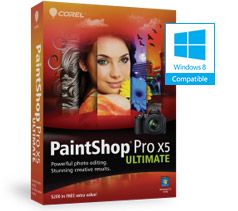
PaintShop Pro X5 Ultimate - Upgrade
Powerful photo editing and creative design
- Powerful photo editing
- Incredible instant effects
- REALLUSION® FaceFilter Studio 2.0 portrait enhancement tools
- NIK® Color Efex Pro™ 3.0 filters
- Creative collection of royalty-free images, brushes and textures
Overview
The ultimate photo-editing software
With the photo-editing power of PaintShop® Pro X5 plus valuable creative extras, Corel® PaintShop® Pro X5 Ultimate gives you everything you need to create stunning and unforgettable photographs. New and improved photo-editing features, enhanced HDR tools and incredible new instant effects give you the power and flexibility you need to stay creative. Powerful editing and illustration tools allow you to merge photo and design, or create graphics for video, print and the web. Additional new tools include face recognition technology, the ability to map photos to real-world locations and enhanced social media tools. It's the perfect way to create, edit, enhance and share unforgettable photos and designs.
Quickly get the results you want
Now you can apply creative effects to your photos in just seconds. Use the Instant Effects palette to apply dozens of visually unique styles quickly and easily. Apply an old school lo-fi look with the Retro Lab or create your own effects for use in other photo projects. The new Graduated Filter effect also lets you apply colorful gradient effects to your photos with just a few simple clicks.
Design like a pro
Get the perfect image, focus and dimensions you want using the enhanced Crop tool. Achieve more precise results with new Layer Style controls which are now accessible directly from the Layers palette. Enjoy the enhanced Paint Brush tool that now includes added support for Adobe® Photoshop® brushes. Plus, use the new Run Multiple Scripts option to automate the editing process even further so you can spend less time working and more time focusing on your art.
Built-in learning resources
Get more out of your PaintShop® Pro experience using the all-new Corel Guide, which offers easy-to-follow video tutorials as well as extra FREE downloadable content. Enhanced Getting Started screens also offer the help you need to get up and running quickly and easily. The award-winning Learning Center adapts to the way you work, offering helpful tips and tricks that even the most seasoned PaintShop Pro user will appreciate.
Instantly share your creations
Harness the power of the most popular social media sites and share your images with the world. Use new face recognition technology to identify and tag individuals in your photos and link them with your Facebook and Flickr accounts. Map photos to real-world locations or create and share an interactive photo-map slideshow of your latest travel adventure. Plus, instantly upload your photos and designs to Facebook, Flickr and Google+.
More ways to create stunning and unforgettable photos
ULTIMATE BONUS PACK includes:
- REALLUSION FaceFilter Studio 2.0 - revitalize the beauty in your photos with portrait enhancement tools.
- NIK Color Efex Pro 3.0 - create unique effects with award-winning creative filters.
- Creative collection - do more with your photos with dozens of new brushes, textures, and over 100 royalty-free backgrounds.
PaintShop Pro X5
|
New
|
Enhanced
|
PHOTO EDITING
|
| High Dynamic Range (HDR) tools - create intense visual contrast and stunning Black & White photos |
|
|
| Instant Effects palette - choose from a variety of preset effects and styles or create and save your own |
|
|
| Single RAW Photo - split a RAW photo intro three exposures and selectively recombine them for stunning results |
|
|
| Graduate Filter effect - apply semi-transparent color gradients to your photos to simulate different camera lens filters |
|
|
| Retro Lab - add old-school color and contrast to achieve a distinctive look |
|
|
GRAPHIC DESIGN
|
| Paint Brush - choose from a variety of built-in brushes or import Adobe Photoshop brushes |
|
|
| Layer Styles - achieve added precision and control with an enhanced layer functionality |
|
|
| Text tool - intuitive text selection and editing |
|
|
| Art Media tools - create incredible artistic effects that go beyond photo editing |
|
|
| Run Multiple Scripts dialog box - automate tasks to streamline your workflow, achieve consistent results and experiment with new tools |
|
|
LEARNING & HELP
|
| Corel Guide - access instructional videos, print tutorials and FREE downloadable content directly from the interface |
|
|
| Learning Center - integrated reference guide that offers step-by-step instructions and quick access to the right tools |
|
|
| Getting Started screens - quick and easy advice on the basics and new and existing features |
|
|
SOCIAL MEDIA
|
| Find People - use face recognition technology to identify and tag individuals for easier photo management |
|
|
| Photo Mapping - map your photos to real-world locations and share them online |
|
|
| Share My Trip - create an online slideshow that links your photos directly to an interactive map |
|
|
| Social Media integration - easily share your photos and designs to your Facebook, Flick and Google+ accounts |
|
|
Features:
PaintShop® Pro X5 Ultimate combines the power of PaintShop Pro X5 with valuable creative extras to help you create, edit, enhance and share your images. You have access to more photo-editing features, more creative design tools, more built-in learning, more social media features and more creative extras than ever before. Take your photos and designs to the next level with PaintShop Pro X5 Ultimate, the award-winning photo-editing and creative design combo.
Photo Editing
Organize, edit and enhance your photos with powerful photo-editing tools:
NEW! Instant Effects palette
Add creative effects to your photos in just seconds. Choose from a variety of preset effects which are organized into style categories such as Artistic, Film Styles, Black & White and Landscape. Thumbnails make it easy to select the effect you want or choose from your own custom made presets. You can also apply multiple effects to a single image to instantly create a unique photographic look.
NEW! Retro Lab
Add old school color and contrast to your photos to achieve a distinctive look inspired by early lo-fi cameras. Plus, take advantage of a variety of control settings to create and tweak presets for use in other creative projects.
NEW! Graduated Filter effect
Apply semi-transparent color gradients to your photos to simulate the effect of using different camera lens filters. Enhanced gradient tools allow you to make quick and easy adjustments. A wide range of easy-to-use gradient controls also allows for more creativity and experimentation.
RAW Lab
RAW is a powerful photo format which contains more information and detail than the traditional JPEG format of most digital cameras. PaintShop Pro X5 features the Camera RAW Lab, a unique tool system which supports hundreds of camera models, allows for simple batch processing to convert RAW image files, and includes the ability to apply non-destructive adjustments to your RAW photos.
Enhanced! High Dynamic Range (HDR) tools
Create stunning photos with intense visual contrast using enhanced High Dynamic Range (HDR) tools, including the new ability to preview a photo's alignment and create Black & White HDR photos.
NEW! Single RAW Photo
Split an individual RAW photo into three exposures and then selectively recombine them to create a stunning and surreal HDR-style effect.
Makeover tools
Make sure the people in your photos look their best with Makeover tools that are fun and easy to use. Remove blemishes, smooth wrinkles, whiten bloodshot eyes, paint on tans and even help your subjects drop those extra few pounds the camera adds on. Advanced Warp tools allow you to distort faces to add a bizarre and humorous twist to your portraits, give your subjects a sculpted model makeover, and add new shape and perspective to your images.
Bonus creative filters
Maximize your photo opportunities with NIK® Color Efex Pro™ 3.0, which includes over 250 effects and styles, and 30+ emulated film types in 52 easy-to-use filters. You get traditional and stylized filters that offer virtually endless possibilities to enhance and transform images quickly and easily.
Graphic Design
Create impressive graphic designs with dynamic design tools:
Enhanced! Text tool
Get the look you want with the enhanced Text tool which offers more intuitive text selection and editing, as well as improved interaction with the Pick tool.
Vector Editing tools
Draw and edit vector objects, and combine artistic elements with your photos to create digital designs that are as unique as your art style.
NEW! Run Multiple Scripts dialog box
Use built-in scripts to automate tasks such as resizing, adding effects and adjustments, allowing you to work faster, achieve more consistent results and experiment with different tools. Choose from dozens of easy-to-use pre-made scripts, create your own, or connect with other PaintShop® Pro users to share and exchange scripts. You can now also select multiple scripts as part of a single batch processing job, allowing you to get the perfect look while saving you time and effort.
Enhanced! Paint Brush
Create and paint new styles and designs with the enhanced Paint Brush tool. Choose from a variety of built-in brushes or import Adobe Photoshop brushes, letting you enjoy even more ways to bring your digital artwork and creative designs to life.
Enhanced! Layer Styles
Get the perfect look you want using the enhanced Layer Styles feature. Now you can access styles - such as Drop Shadow, Glow and Reflections - directly from the Layers palette, while new input boxes allow for added precision and control over all of your creative design projects.
Enhanced! Art Media Tools
Go beyond photo editing with enhanced Art Media tools that allow you to create incredible digital works of art. Paint directly over top of your photos or use art media tools such as the enhanced water color brush to create a realistic hand painted effect.
Bonus creative collection
Do more with your photos with dozens of new brushes, textures and over 100 royalty-free backgrounds.
Makeover
Turn every photo into the perfect picture with easy-to-use makeover tools:
Makeover tools
Make sure the people in your photos look their best with Makeover tools that are fun and easy to use. Remove blemishes, smooth wrinkles, whiten bloodshot eyes, paint on tans and even help your subjects drop those extra few pounds the camera adds on. Advanced Warp tools allow you to distort faces to add a bizarre and humorous twist to your portraits, give your subjects a sculpted model makeover, and add new shape and perspective to your images.
Web Graphics
Create, edit and optimize your web graphics with a variety of versatile web tools:
Web Tools
Use a variety of versatile web tools to save and optimize images that are perfect for online use. Work with image mapping to link HTML with your graphics, and use Slicing and Rollovers to create designs that work seamlessly with web pages.
Bonus Portrait Enhancement tools
Revitalize the beauty in your photos with REALLUSION® FaceFilter Studio 2.0 portrait enhancement tools.
Photo Restoration & Repair
Bring your old family photos back to life with powerful photo restoration tools:
Scratch Remover Tool
The Scratch Remover tool is also perfect for repairing unsightly cracks and making tattered and faded photos look like new again.
Sophisticated cloning tools
Easily remove people and objects from your photos and seamlessly fill in the missing space with content from another area of your image.
Fade Correction
Make those old photos look new again by restoring the color and contrast of faded photos in one simple step.
Scrapbooking
Create unique designs for your photo projects with advanced editing and design tools:
Vector Editing tools
Draw and edit vector objects, and combine artistic elements with your photos to create digital designs that are as unique as your art style.
Enhanced! Paint Brush
Create and paint new styles and designs with the enhanced Paint Brush tool. Choose from a variety of built-in brushes or import brushes from Adobe Photoshop, letting you enjoy even more ways to bring your digital artwork and creative designs to life.
Enhanced! Layer Styles
Get the perfect look you want using the enhanced Layer Styles feature. Now you can access styles - such as Drop Shadow, Glow and Reflections - directly from the Layers palette, while new input boxes allow for added precision and control over all of your creative design projects.
Enhanced! Text tool
Get the look you want with the enhanced Text tool which offers more intuitive text selection and editing, as well as improved interaction with the Pick tool.
Specifications:
System Requirements
- Microsoft Windows 8, Windows 7, Windows Vista or Windows XP with the latest service packs installed (32-bit or 64-bit editions)
- Intel Pentium 4 or AMD Athlon 64 or later (multi-core processor recommended)
- 1.5 GB RAM (2 GB or higher recommended)
- 1 GB of available hard-disk space required (2 GB or greater recommended)
- 1024 x 768 16-bit color display (24-bit recommended)
- DirectX 9 or higher
- Internet connection required for online features and tutorial videos
- Windows compatible CD/DVD drive for installation
Import Formats Supported
- AI, BMP, CAL, CALS, CGM, CLP, CMX, CT, CUR, CUT, DCX, DIB, DRW, EMF, EPS, GIF, HDP, HGL, HPG, IFF, IMG, J2C, J2K, JIF, JP2, JPC, JPE, JPEG, JPG, JPS, JPX, MAC, MPO, MRW, MSP, PBM, PCD, PCT, PCX, PDF, PGL, PGM, PIC, PICT, PNG, PNS, PPM, PS, PSD, PSP (PSP image files), RAS, RAW, RIF, RLE, SCT, SVG, SVGZ, TGA, TIF, UFO, WBM, WBMP, WDP, WEBP, WMF, WPG
- Includes RAW file support from over 300 camera models with the following extensions: 3FR, ARW, CR2, CRW, DCR, DNG, ERF, K25, KDC, MEF, MOS, NEF, NRW, ORF, PEF, RAF, RW2, SR2, SRF, X3F
- Video input format support: MPEG-1, WMV (Windows Media Video), MOV (QuickTime required) and AVI (motion JPEG)
Export Formats Supported
- BMP, CAL, CALS, CLP, CUT, DCX, DIB, EMF, EPS, AI, PS, GIF, HDP, WDP, IFF, IMG, JP2, J2C, J2K, JPC, JPX, JPG, JIF, JPE, JPEG, MAC, MSP, PBM, PCX, PGM, PIC, PPM, PNG, PSD, PSP (PSP IMAGE FILES), RAS, RAW, RIF, RIFF, RLE, SCT, CT, JPS, PNS, TGA, TIF, TIFF, WBMP, WBM, WEBP, WMF
Cameras Supported
Please note: Certain cameras are only supported after Service Pack 1 is installed.
Brand
|
Camera model
|
| Adobe |
Adobe Digital Negative (DNG) |
| AgfaPhoto |
DC-833m |
| Canon |
EOS: 1000D, 1100D, 10D, 20D, 20Da, 300D, 30D, 350D, 400D, 40D, 450D, 500D, 50D, 60D, 550D, 600D, 650D, 5D (Mark II, III), 7D, D2000/DSC520, D30, D60, 1D (Mark II, II N, III, X, IV), 1DS (Mark II,III); PowerShot: 600, A460, A470, A5 (Zoom), A50, A530, A570 IS, A590 IS, A610, A620, A630, A640, A650, A710 IS, A720 IS, G1, G1 X, G2, G3, G5, G6, G7, G9, G10, G11, G12, Pro1, Pro70, Pro90 IS, S2 IS, S3 IS, S30, S40, S45, S5 IS, S50, S60, S70, S90, S95, S100, SD300/IXUS 40, SX1 IS, SX110 IS, SX120 IS, SX220, SX30 IS; Digital Rebel: XS, T3, XT, XTi, XSi, T1i, T2i, T3i; Kiss Digital: F, X, N, X2, X3, X4, X5 |
| Casio |
Exilim Pro EX-P505, Exilim Pro EX-P600, Exilim Pro EX-P700; EX-S100, EX-S20, EX-Z4, EX-Z10, EX-Z50, EX-Z55, EX-Z60, EX-Z75, EX-Z750, EX-Z850, EX-Z1050, QV-2000UX, QV-3000EX, QV-3500EX, QV-4000, QV-5700, QV-R41, QV-R51, QV-R61 |
| Contax |
N Digital |
| Creative |
PC-CAM 600 |
| Epson |
R-D1 |
| Foculus |
531C |
| Fuji |
FinePix: E550 Zoom, E900 Zoom, F700, F710, F800, F810, F550EXR, F600EXR, F770EXR, S100FS, S20Pro, S2Pro, S3Pro, S5000 Zoom, S5100/S5500 Zoom, S5200/S5600 Zoom, S5 Pro, S6000fd/S6500fd, S7000 Zoom, S9000/S9500, S9100/S9600, S200EXR, HS10/HS11, HS20EXR, HS30EXR/HS33EXR, X10, X100, IS-1, X-S1/X-Pro1 |
| Hasselblad |
CFV, H3D, V96C |
| Imacon |
Ixpress 16MP/22MP/39MP |
| Kodak |
C330, C603, DC20, DC25, DC40, DC50, DC120, DCS Pro 14n/14nx, DCS Pro SLR/c, DCS Pro SLR/n, DCS200, DCS315C, DCS330C, DCS420, DCS460, DCS460A, DCS520C, DCS560C, DCS620C, DCS620X, DCS660C, DCS660M, DCS720X, DCS760C, DCS760M, EasyShare Z990, EOSDCS1, EOSDCS3B, KAI-0340, NC2000F, P850, P880, PB645C, PB645H, PB645M, DCS ProBack, Z1015 IS, Z980, Z981 |
| Konica |
KD-400Z, KD-510Z |
| Leaf |
AFi 7; Aptus: 17, 22, 54S, 65, 75, 75S, II 12; Cantare, CatchLight, CMost, DCB2; Valeo 6, 11, 17, 22; Volare |
| Leica |
Digilux 2, 3; D-LUX 2, 3, 4, 5; V-LUX: 1, 2, 3 |
| Logitech |
Fotoman Pixtura |
| Mamiya |
ZD |
| Micron |
2010 |
| Minolta |
Alpha/Dynax/Maxxum 5D, 7D; DiMAGE 5, 7, 7Hi, 7i, A1, A2, A200, G400, G500, G530, G600, Z2; RD175 |
| Motorola |
PIXL |
| Nikon |
Coolpix P6000, P7000, P7100, S6; 1, D1, D100, D1H, D1X, D200, D2H, D2Hs, D2X, D2Xs, D3, D3X, D4, D300, D3000, D3100, D3200, D5100, D300s, D40, D40X, D50, D5000, D7000, D60, D70, D70s, D700, D800, D80, D90, E2100, E2500, E3200, E3700, E4300, E4500, E500, E5400, E5700, E8400, E8700, E8800, E700, E800, E880, E900, E950, E990, E995 |
| Nokia |
N95, X2 |
| Olympus |
C-3030Z, C-5050Z, C-5060WZ, C-7070WZ, C-70WZ,C-7000Z, C-740UZ, C-770UZ, C-8080WZ, E-1, E-3, E-5, E-10, E-20, E-30, E-300, E-330, E-400, E-410, E-420, E-500, E-510, E-520, E-620, E-PL1s, E-PL2, E-PL3, E-PM1, E-M5, PEN E-P1, PEN E-P2, PEN E-P3, SP-310, SP-320, SP-350, SP-500 UZ, SP-510 UZ, SP-550 UZ, SP-560 UZ, SP-570 UZ, X200, D-560 Z, C350Z, XZ-1 |
| Panasonic |
DMC: FX150, FZ8, FZ18, FZ28, FZ30, FZ35/FZ38, FZ40/FZ45, FZ50, FZ100, FZ150, G1, G2, G3, GF1, GF2, GF3, GF5, GH1, GH2, GX1, L1, L10, LC1, LX1, LX2, LX3, LX5 |
| Pentax |
*ist: D, DL, DL2, DS, DS2; 645D, K100D Super, K10D, K2000/K-m, K200D, K20D, K-5, K-7, K-r, K-x; Optio: 33WR, 750Z, S, S4 |
| Phase |
Phase One: H 10, H 20, H 25, LightPhase, P 20, P 25, P 30, P 40, P 45, P 45+ |
| Polaroid |
x530 |
| Rollei |
d530flex |
| RoverShot |
3320af |
| Samsung |
EX1, GX-10, GX-1S, NX10, NX20, NX200, NX210, NX1000, WB550, WB2000, S85, S850 |
| Sigma |
SD9, SD10, SD14 |
| SMal |
Ultra-Pocket: 3, 4, 5 |
| Sony |
DSC: F828, R1, RX100, V3; DSLR: A100, A200, A290, A300, A330, A350, A380, A390, A450, A500, A550, A580, A700, A850, A900; NEX: 3, 5, 5N, 7, C3, F3; SLT: A33, A35, A37, A55, A57, A65, A77; XCD-SX910CR |
| STV |
STV680 VGA |