What is Illustrator?
Explore new paths with the essential vector tool
Create distinctive vector artwork for any project. Used by design professionals worldwide, Adobe Illustrator CS5 software provides precision and power with sophisticated drawing tools, expressive natural brushes, a host of time-savers, and integration with Adobe CS Live online services.* CS Live services are complimentary for a limited time.

Complement your design
Craft vector assets for use in any design project, from logos and branding to graphics for advertising, packaging, and environments.

Create beautiful websites
Design graphics for banners, web pages, and interactive experiences, or lay out your entire website.
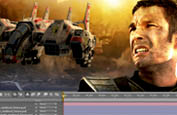
Get your ideas in motion
Create original graphics and motion paths for animation, and design artwork for broadcast graphics, titles, station IDs, and bumpers

Sophisticated vector drawing controls
Create distinctive designs with precise shape-building tools, fluid and painterly brushes, and advanced path controls.

Gradients and transparency enhanced
Interact with gradients directly on your objects and control the transparency of individual colors in gradients and gradient meshes.
Play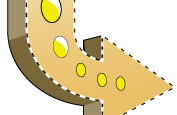
Beautiful Strokes new
Fully control variable-width strokes, arrowheads, dashes, and art brush scaling along a path. See it in action
Features
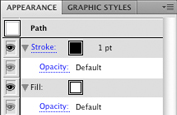
In-panel appearance editing
Edit object characteristics directly in the Appearance panel, eliminating the need to open fill, stroke, or effects panels.
Integration with Adobe CS Review new
Create and share online reviews for clients down the hall or around the world with Adobe CS Review, one of the new Adobe CS Live online services.* CS Live services are complimentary for a limited time.
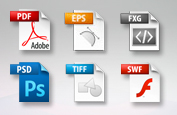
Industry-standard graphic file format support
Work with almost any type of graphic file including PDF, EPS, FXG, Photoshop (PSD), TIFF, GIF, JPEG, SWF, SVG, DWG, DXF, and more.

Adobe PDF file creation tools
Create more secure, multipage, graphic-rich PDF files with Illustrator layers retained. Share files confidently with service providers, including support for PDF/X standards.

Advanced typography
Design beautiful text for virtually any media with professional controls for paragraph and character styles, support for OpenType, transparent effects, and more.

Perspective Drawing new
Use perspective grids to draw shapes and scenes in accurate 1-, 2-, or 3-point linear perspective and create the look of realistic depth and distance. See it in action
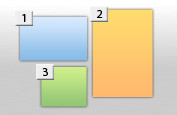
Multiple artboard enhancements enhanced
Work on up to 100 artboards of varying sizes in one file named, organized, and viewed the way you want. See it in action

Drawing enhancements new
Draw behind, disregarding stacking order. Draw or place an image inside, instantly creating a clipping mask. See it in action
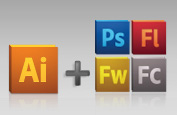
Integration with other Adobe design applications
Share files smoothly with other Adobe professional design applications and easily create artwork for multiple uses.
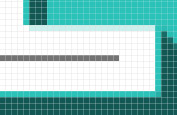
Crisp graphics for web and mobile devices new
Create vector objects precisely on the file's pixel grid for delivering pixel-aligned raster artwork. See it in action